
Plan the load. Plan the order.
CargoOptix turns a packing list into a 3D loading plan, and shows how much more of your own product the same container could carry. Your manifests are not uploaded.
Equipment: 20ft and 40ft standard, 40ft and 45ft high cube, 45ft pallet-wide, 20ft and 40ft reefer, 20ft and 40ft open top, 53ft dry van, tautliner, mega-trailer, 26ft box truck, and 3, 5 and 10 tonne open and refrigerated trucks.
Cargo: loose cartons or palletised (EUR, North America GMA, Asia and UAE & Australia pallet standards).
Your data: mm, cm, m or inches; kg or lb; CSV, XLSX and XLS files.
Plan the order, not only the load
For exporters and buyers
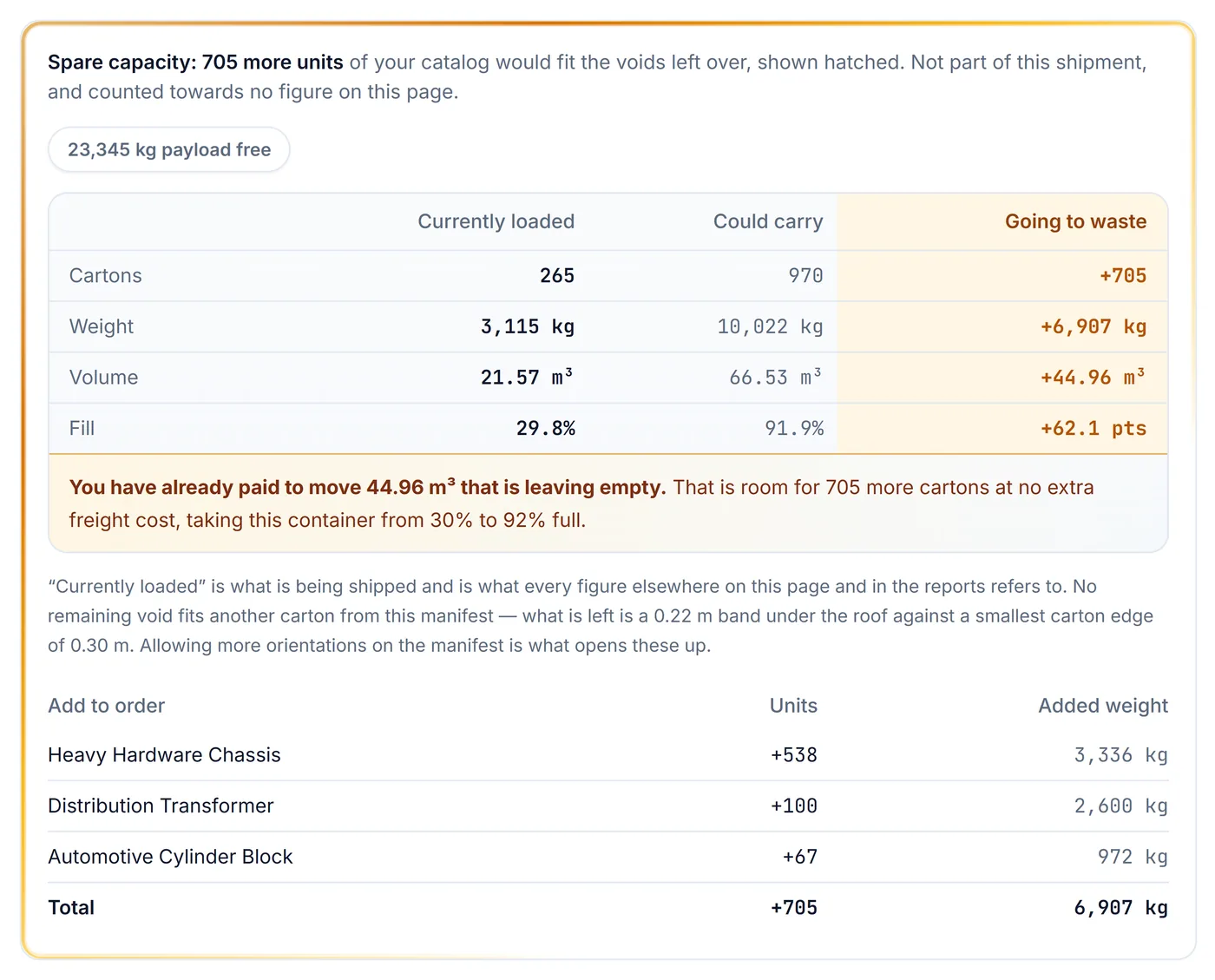
| Spare Capacity Finder | After loading, shows how many more of your own products would still fit. In the example below, 265 cartons are loaded and 705 more would fit, taking the container from 30% to 92% full. |
| Added-order list | A product-by-product list of what to add, with units and weight for each. |
| Loaded vs. possible | Cartons, weight, volume and fill side by side: what ships now, what could ship, and the gap. |
| Supplier-ready page | The summary report adds a before-and-after page you can send to the factory. |
| Stock-aware suggestions | Limit suggestions to the products you actually hold. |
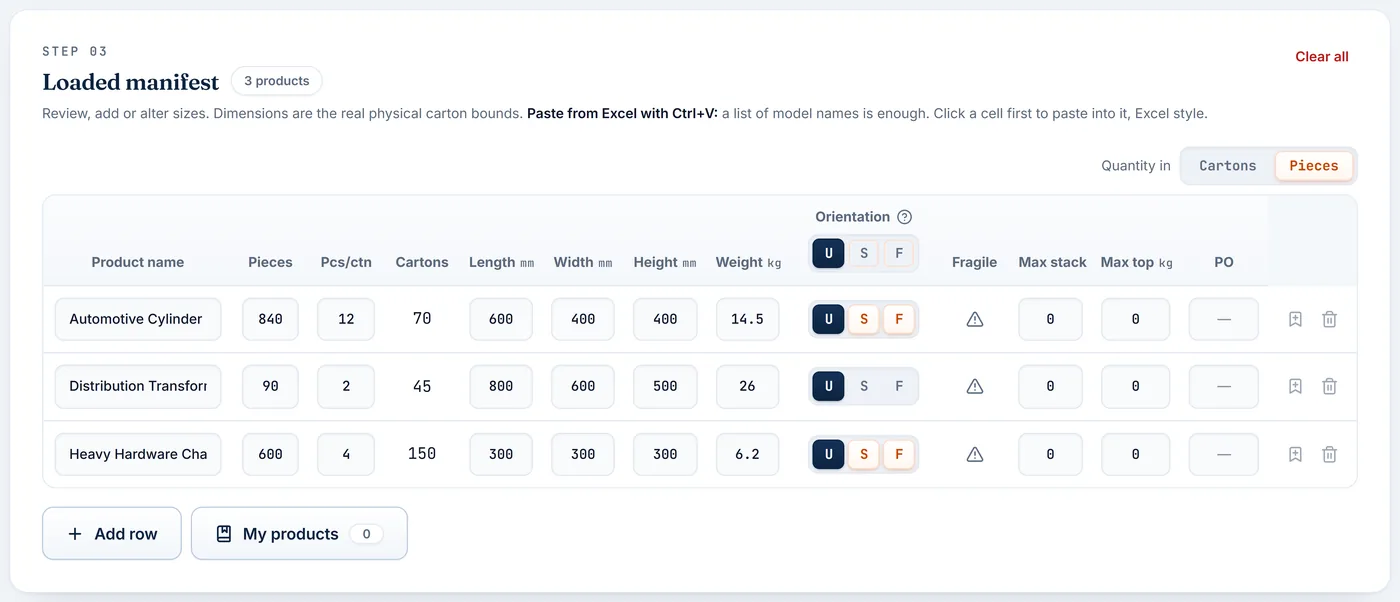
| Cartons or pieces | Enter the order in pieces and pieces per carton; the carton count is calculated for you. |
From packing list to plan
For planners and forwarders
| Import your own file | Upload CSV or Excel, or paste from a spreadsheet. Columns are matched by name, with a prompt only when one is not recognised. |
| Unit safeguards | Cartons that cannot be real, such as a file read in the wrong unit, are refused and listed with the reason. |
| Product library | Save products once and fill them in by name. Import and export the library by spreadsheet; bulk changes can be undone. |
| Saved settings | Store your usual equipment, loading method and margins under a name. |
| Handling rules per product | Fragile, keep upright, maximum stack, maximum weight on top. The plan follows each rule. |
| Several equipment sizes | Select every size you can book. The plan uses the smallest that works and moves to further containers when needed. |
| Job details on every output | PO number, origin, destination, dates and author carry onto each report. |
See it before you load it
For planners and customers
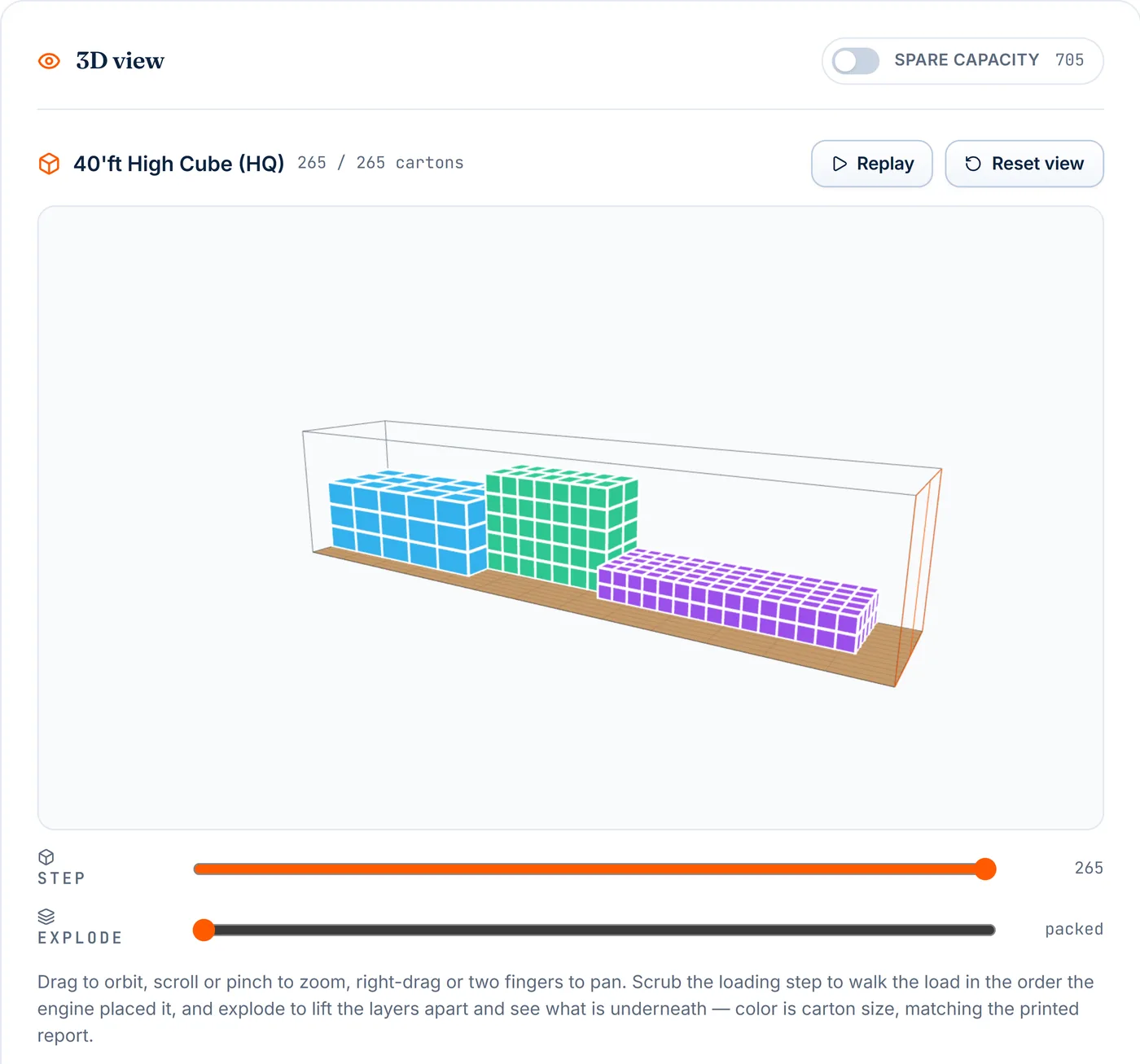
| Interactive 3D view | Rotate, zoom and pan the loaded container. Colours show carton size. |
| Step-by-step replay | Play or scrub through the load in loading order. |
| Explode view | Lift the layers apart to see what sits underneath. |
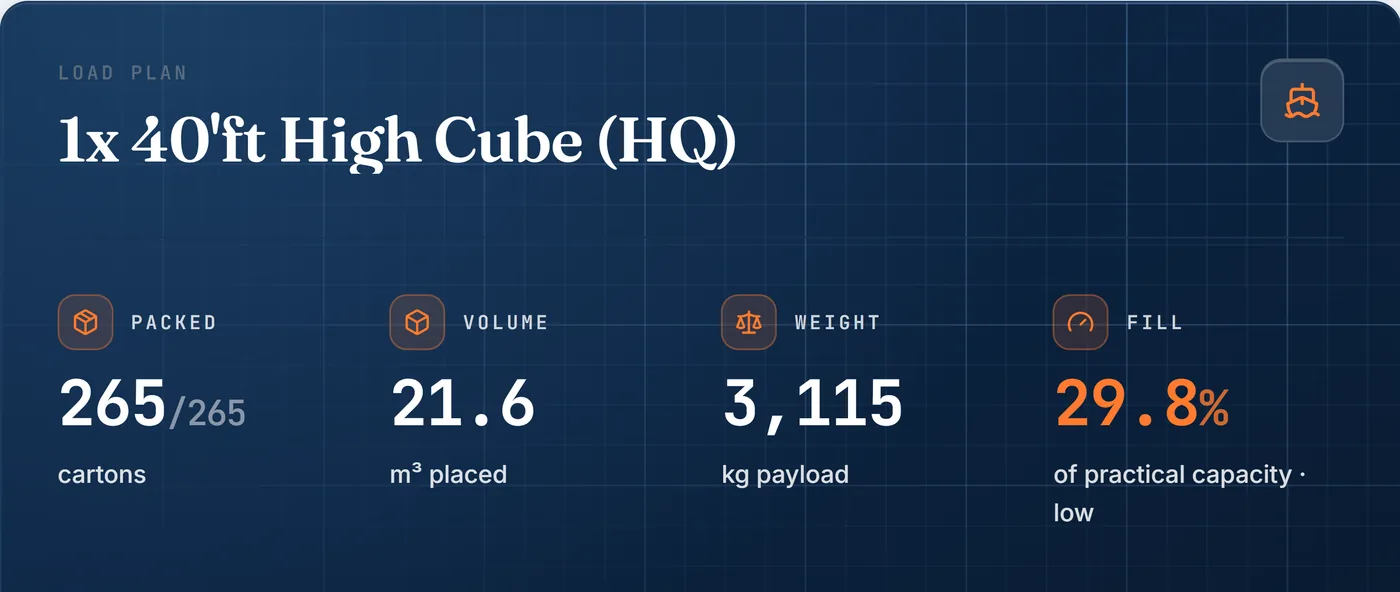
| Volume and weight | Volume placed, weight and fill against practical capacity, at a glance. |
| Centre of gravity | Shows where the weight sits and warns when the load is off-centre. |
| Axle-load check | Flags when the cargo alone already exceeds an axle limit. |
| Gross-mass calculation | Cargo plus container tare, as a figure to support your own verification. |
Documents for every audience
For the customer, the file and the warehouse floor
| Summary report | For the customer and the file. One A4 landscape page per container: 3D views from the door end and the far end, product list, weights, fill and balance figures. |
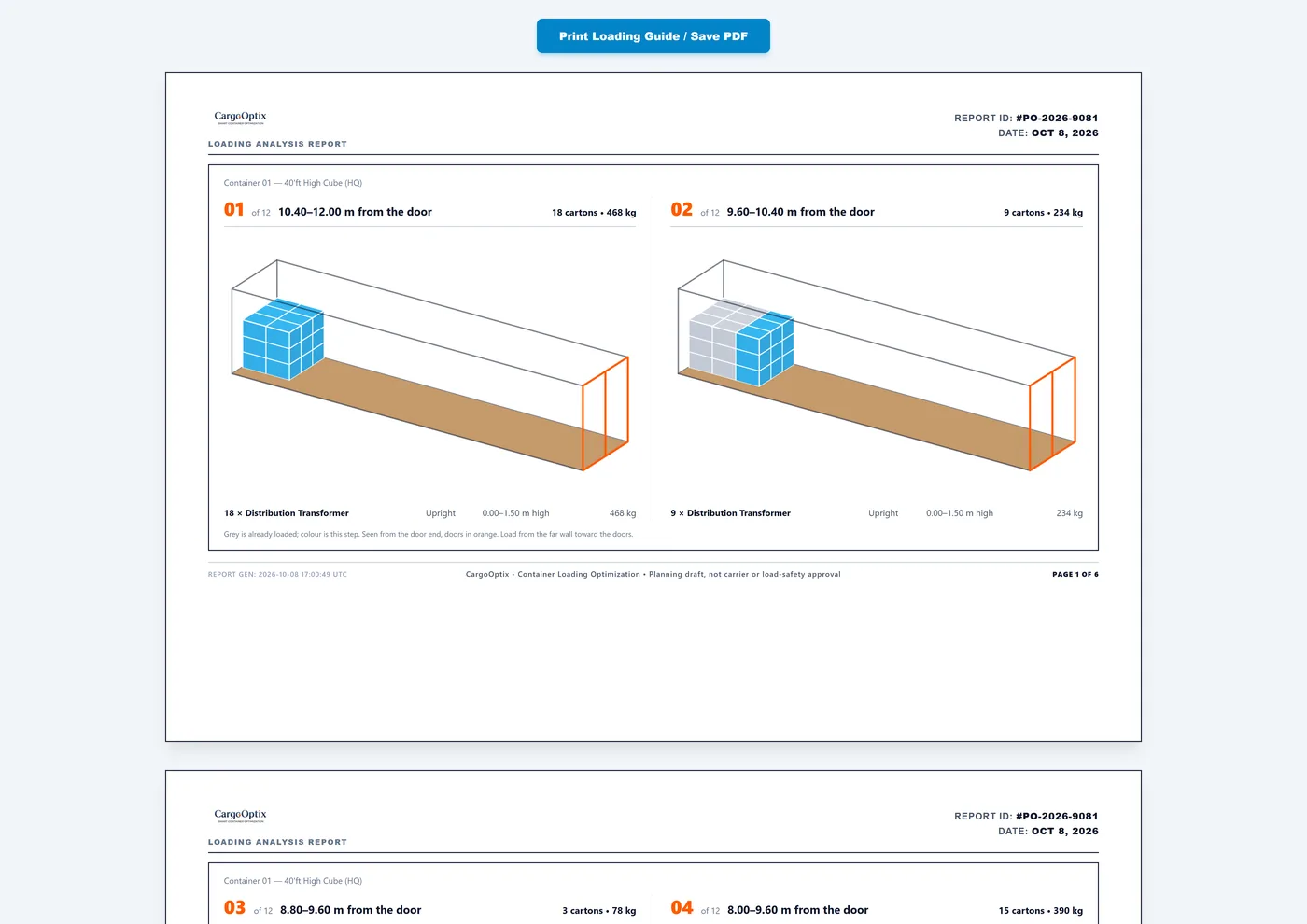
| Loading guide | For the warehouse crew. Two steps per page, each with a 3D picture, already-loaded cargo in grey, and a plain-language instruction. |
| CSV manifest | For finance and operations. The same figures for Excel. |
| Placement log | For records. Every carton in loading order, with its position. |
Trust and control
- Your cargo data stays on your computer. Manifests and plans are not uploaded.
- Clear limits. Gross mass, axle and balance figures are planning aids. They do not replace carrier or load-safety approval, and the reports say so.
- Nothing is dropped silently. A carton that does not fit is reported with the reason.
- Spare boxes never count as cargo. They are shown separately and left out of every total.
- Undo for pastes, imports and bulk changes.
- Built-in help, with an email route to a person.
Figures in the screenshots come from a sample manifest. Gross mass figures are planning arithmetic, not a verified VGM declaration. See the Terms of Service.